
Introduction
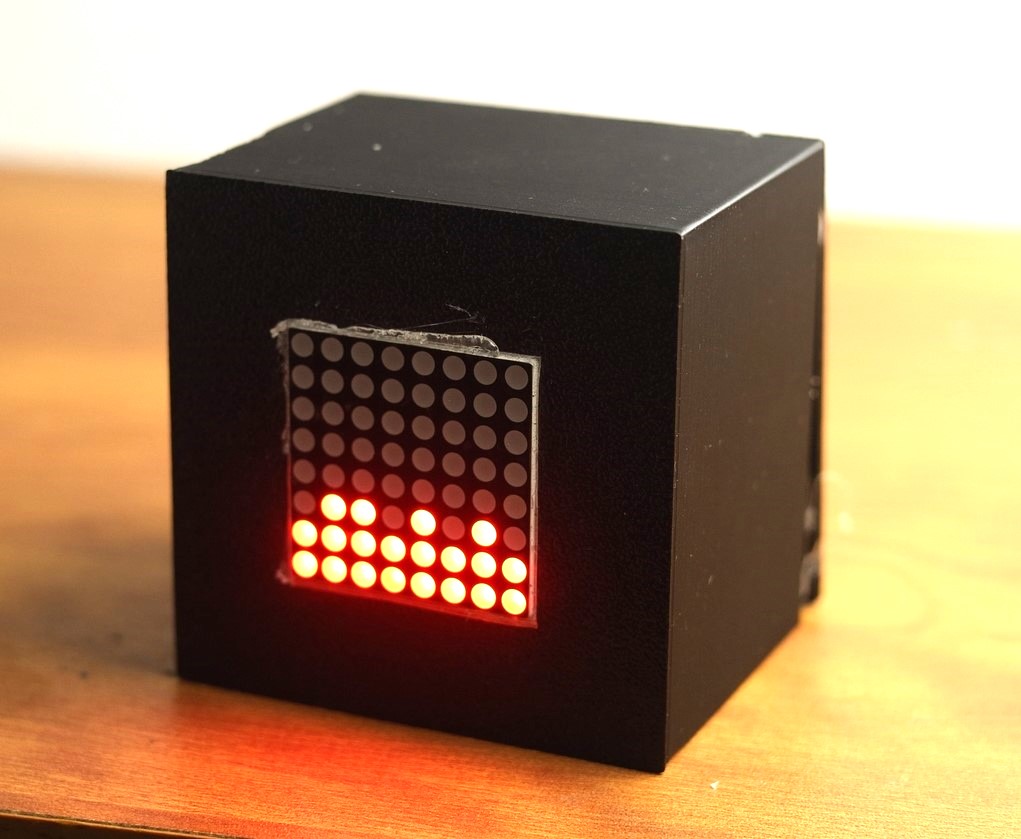
This project demonstrates how to build an interactive “Gravity Pixels” hardware display using an Arduino microcontroller and an MPU6050 accelerometer/gyroscope sensor. By tilting and moving the physical sensor module, dynamic lighting elements or digital graphics respond in real time to mimic the physical forces of gravity and motion.
Connections
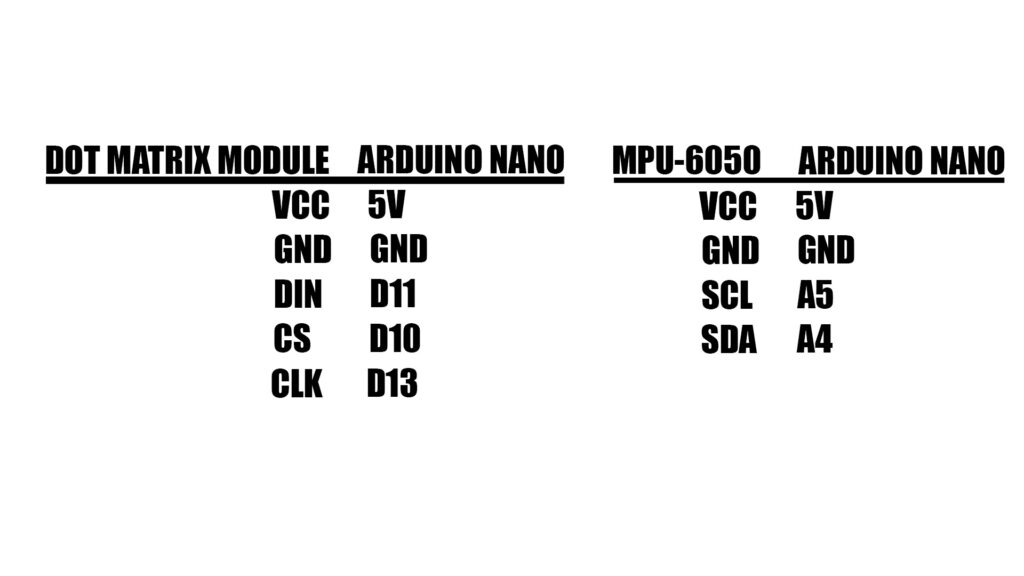
The hardware setup requires straightforward wiring between the MPU6050 sensor and the Arduino board and Dotmatrix Display:
Working
The project operates through a combination of sensor data acquisition and dynamic rendering logic:
- Motion Tracking: The MPU6050 sensor continuously measures real-time acceleration, tilt angles, and rotational forces along multiple axes.
- Data Processing: The Arduino reads the incoming sensor values over the I2C communication interface.
- Gravity Simulation: Microcontroller algorithms process the orientation and tilt data to calculate how virtual objects or pixels should move and settle under the influence of gravity.
- Visual Output: The display or LED matrix updates dynamically based on the calculated forces, allowing users to physically shift elements around simply by tilting the module.
Components
Jumper wires – https://link.amazon/B0bWtsAH1
MPU 6050 – https://link.amazon/B0gCROi4C
Arduino Nano –https://link.amazon/B09hPoigI